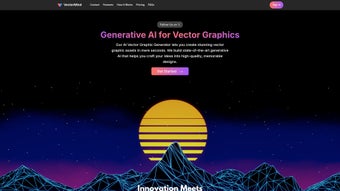

Download VectorMind – AI-Powered Vector Graphic Generator for Windows, Mac, iOS & Android
VectorMind is a revolutionary AI-driven vector graphic generator that transforms simple text prompts into stunning, scalable vector illustrations in seconds. Designed for artists, designers, and creative professionals, this web-based tool leverages advanced artificial intelligence to deliver high-quality SVG and PNG assets suitable for both personal and commercial use. Whether you're crafting logos, digital art, or web graphics, VectorMind simplifies the creative process with intuitive navigation, an extensive library of prompt templates, and seamless integration with popular design platforms.
With support for multiple operating systems including Windows, Mac, Android, and iOS, VectorMind ensures accessibility from any device. The platform also offers customizable AI models for enterprise teams, making it a scalable solution for businesses. Download VectorMind today and unlock the power of AI-assisted vector design with zero learning curve.
Why VectorMind Stands Out: Key Features
VectorMind redefines what’s possible in digital design by combining artificial intelligence with vector precision. One of its most impressive features is the ability to generate fully scalable vector graphics from plain text descriptions. Simply type a prompt like “a minimalist mountain landscape in watercolor style” and watch as the AI constructs a clean, editable SVG file in seconds. This eliminates the need for time-consuming manual drawing or complex software like Adobe Illustrator for basic vector tasks. The platform also includes a vast library of pre-built prompt templates categorized by style—such as abstract art, flat design, line art, and isometric illustrations—making it easy to jumpstart your creativity.
Another standout feature is the community-driven asset library. Users can browse, search, and download vector graphics created by other artists using keywords, tags, or templates. This collaborative environment fosters inspiration and accelerates project development. VectorMind supports dual export formats: PNG for quick use in presentations and web pages, and SVG for scalable, resolution-independent designs ideal for responsive websites and print. The tool also offers customizable AI models for enterprise teams, allowing businesses to fine-tune the generation process to match brand aesthetics or industry-specific needs.
With built-in integration capabilities, VectorMind works seamlessly with major design tools like Figma, Sketch, and Adobe XD. This means you can generate a vector asset, export it, and import it directly into your workflow without format conversion hassles. Additionally, the platform includes version control and asset tagging, helping teams organize their creative output efficiently. Whether you're a freelance designer or part of a large creative agency, VectorMind streamlines the entire design lifecycle—from ideation to delivery—making it one of the most versatile AI vector tools on the market today.
How to Use VectorMind: Step-by-Step Guide
Using VectorMind is refreshingly simple, even for users with no prior design experience. The first step is to visit the VectorMind web portal and sign up for a free account. The registration process is quick, requiring only an email address and password. Once logged in, you’ll be greeted with a clean, intuitive dashboard that organizes your projects, recent assets, and favorite templates. From here, you can either start from scratch or explore the extensive prompt library.
To generate a vector graphic, click on the “Create” button and enter your text prompt in the input field. For example, try “a futuristic cityscape with neon lights and flying cars in a cyberpunk style.” As you type, the AI begins to analyze your request and suggest relevant style tags. You can refine your prompt by selecting from available styles, colors, or composition preferences. Once satisfied, click “Generate,” and within 5–10 seconds, a fully editable SVG file appears on your screen.
After generation, you can preview the image in multiple sizes and adjust elements like color schemes or layering using the built-in editor. When you’re ready, export your design in either PNG or SVG format. The PNG version is ideal for social media, presentations, or web banners, while SVG ensures crisp rendering across all devices. For teams, VectorMind allows you to save assets to shared folders, apply metadata tags, and collaborate in real time. You can also integrate the tool into your existing workflow via API access, enabling automated asset generation for websites or marketing campaigns.
Regular updates ensure the platform remains cutting-edge, with new templates, styles, and AI enhancements released monthly. The web-based nature means there’s no need to install software—just open your browser and start creating. Whether you’re designing a logo, a website banner, or a digital illustration, VectorMind delivers professional results with minimal effort.
Compatibility & System Requirements
VectorMind is a web-based application, which means it runs directly in your browser—no installation required. This makes it compatible with a wide range of devices and operating systems, including Windows 10 and later, macOS 11+, iOS 14+, and Android 10+. As long as you have a modern browser like Chrome, Safari, Firefox, or Edge, you can access VectorMind from desktops, laptops, tablets, and smartphones.
For optimal performance, we recommend a stable internet connection and a screen resolution of at least 1280x720. The tool is lightweight and does not consume significant system resources, so even older devices can run it smoothly. Since all processing happens on VectorMind’s secure servers, your device doesn’t need powerful graphics capabilities or high RAM—ideal for users on budget laptops or mobile devices.
One of the biggest advantages of this approach is cross-platform consistency. Whether you start designing on your Mac at home or continue on your iPad during a commute, your projects stay synchronized across devices. This is especially beneficial for remote teams and freelancers who work across multiple platforms. Additionally, VectorMind supports all major web development frameworks and design tools, including Figma, Sketch, Adobe XD, Webflow, and WordPress, ensuring your generated assets fit seamlessly into any project.
Security is a top priority. All user data and generated assets are encrypted in transit and at rest. VectorMind complies with GDPR and CCPA regulations, giving users peace of mind when handling sensitive or commercial projects. The platform also offers two-factor authentication (2FA) and role-based access control for enterprise users, enhancing data protection for teams.
Pros and Cons: Honest Review of VectorMind
- Pros:
- Generates high-quality vector graphics from text prompts in seconds
- Supports both SVG and PNG export formats for versatile use
- Extensive library of AI prompt templates across multiple art styles
- Web-based—no installation, works on Windows, Mac, iOS, Android
- Seamless integration with Figma, Sketch, Adobe XD, and other design tools
- Free plan available with generous usage limits
- Custom AI models available for enterprise teams
- Community-driven asset library for inspiration and collaboration
- Cons:
- Requires a stable internet connection for full functionality
- Advanced customization options are limited in the free tier
- AI-generated art may occasionally lack fine detail in complex prompts
- Not ideal for users needing offline access or local file storage
- Some enterprise features require direct sales contact
Frequently Asked Questions (FAQ)
- Is VectorMind free to use?
-
Yes, VectorMind offers a free plan with access to basic features, including 50 vector generations per month, standard prompt templates, and export in PNG and SVG formats. Higher-tier plans unlock advanced AI models, unlimited generations, and team collaboration tools.
- Can I use VectorMind-generated graphics for commercial projects?
-
Yes, all assets generated with VectorMind can be used for commercial purposes, including logos, marketing materials, websites, and print products. The free and paid plans include a commercial license, so you’re covered legally.
- Does VectorMind work on mobile devices?
-
Yes, VectorMind is fully responsive and works on iOS and Android devices via any modern web browser. You can create, edit, and export vector graphics directly from your smartphone or tablet.
- How secure is my data on VectorMind?
-
VectorMind uses end-to-end encryption for all data transfers and stores files securely on encrypted servers. The platform complies with GDPR and CCPA, and enterprise users can enable two-factor authentication and access controls for added security.
- Can I customize the AI models for my business?
-
Yes, VectorMind offers custom AI model training for enterprise clients. This allows businesses to train the AI on their brand guidelines, preferred styles, and design language for consistent, on-brand outputs.
Final Verdict: Why You Should Download VectorMind Today
VectorMind is more than just a tool—it’s a creative revolution for designers, marketers, and entrepreneurs. Its ability to turn simple text into professional-grade vector art in seconds sets it apart from traditional design software. With a user-friendly interface, powerful AI engine, and broad compatibility across Windows, Mac, iOS, and Android, it’s accessible to everyone—from beginners to seasoned pros.
Whether you’re building a brand identity, designing a website, or creating digital content, VectorMind saves hours of manual work and unlocks new levels of creativity. The free plan is generous, and the paid tiers offer scalable solutions for growing teams. With regular updates, secure infrastructure, and seamless integration into existing workflows, VectorMind is built for the future of design.
Don’t miss out on the next evolution of vector creation. Download VectorMind today and transform your ideas into stunning visuals—fast, free, and secure.



.png)



